[ALERT] PECOS MCS Claims Extract Delayed in Production - 7/8/26
Centers for Medicare & Medicaid Services

The following notice is for downstream recipients of the PECOS MCS extract in the production environment.

Due to a file transfer issue experienced yesterday evening (Wednesday, 7/8/26), the PECOS MCS extract was not delivered in the production environment last night. Data intended for the 7/8/26 delivery will be included with this evening's scheduled delivery (Thursday, 7/9/26).

If additional information is required, please contact PECOS.Production.Support@cgifederal.com.

Thank you.

PECOS Production Support Team

Centers for Medicare & Medicaid Services (CMS) has sent this update. To contact Centers for Medicare & Medicaid Services (CMS) go to our contact us page.
CMSConnect Digest: Summer 2026
Centers for Medicare & Medicaid Services.CMSConnect Powered by servicenow.

A Season of Transformation for CMSConnect

This summer marks another exciting milestone for CMSConnect as we continue to enhance the platform into a more modern, user-centered digital workspace.

From a refreshed look and improved navigation to new resources designed to support everyday tasks, CMSConnect is focused on helping you access the tools, services, and information you need—faster and more efficiently.

Explore what’s new below and stay informed on what’s coming next.


What’s New


Employee Center Pro Go-live

CMSConnect Glow-Up: A Better Experience, Built for You

The CMSConnect Glow-Up is officially live—introducing a refreshed, more intuitive platform designed to simplify how you work.

Key enhancements include:

  • A modernized interface with streamlined navigation
  • Easier access to tools, knowledge articles, and services
  • A more connected experience across IT, HR, and workplace services
  • Improved access to directories and user profile information

These updates reinforce CMSConnect as the single front door for CMS employees and contractors, helping you complete tasks faster and with greater ease.

 

Reservations

New Reservations Video: Learn How to Book with Confidence

A new CMSConnect Reservations video is now available to guide users through the reservations experience.

Whether you’re reserving a workspace or managing resources, this short video provides:

  • Step-by-step guidance on using the Reservations tool
  • Tips for navigating the booking process
  • Best practices to ensure a smooth experience

Designed to be quick, clear, and practical, the video supports both new and experienced users in getting the most out of CMSConnect.

News Center Highlights

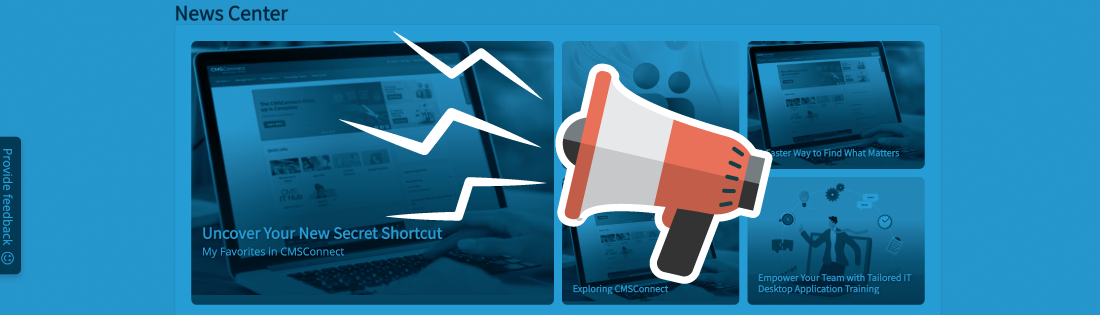
CMSConnect News Center

Stay up to date with the latest CMSConnect updates, enhancements, and stories

Uncover Your Secret Shortcut

Cut through the clicks and keep your most-used items exactly where you need them. With My Favorites in CMSConnect, you can quickly save services, knowledge articles, and resources with a simple click of the heart icon—creating a personalized, time-saving workspace right at your fingertips. It’s a small feature with a big impact on how you navigate your day.

Hidden Gem in the Knowledge Center

Staying up to date doesn’t have to mean constant searching. Inside the Knowledge Center, article subscriptions quietly do the work for you—sending updates the moment content changes. Whether it’s an FAQ, how-to guide, or critical reference, this often-overlooked feature helps you stay informed, organized, and always working from the latest information.

A Faster Way to Find What Matters

When time is tight, finding the right information quickly is everything. CMSConnect makes it easier with streamlined access to knowledge articles, service resources, and guidance—all in one place. With improved navigation and centralized content, the Knowledge Center helps reduce searching, eliminate guesswork, and get you to the answers you need faster.


Coming Soon

Australia Upgrade

Australia Upgrade: What to Expect

An upcoming platform upgrade will bring continued improvements to CMSConnect’s performance and reliability.

Here’s what you need to know:

  • Enhancements aligned with CMS modernization goals
  • Continued platform optimization and stability improvements
  • No changes to the existing remediation change process for development teams

Additional details and timelines will be shared soon to help ensure a smooth and well-prepared rollout.


In This Edition: Hospital Report | Laboratory Reporting | Cervical Cancer Screening
The MDPP Bulletin - July 2026


Centers for Medicare & Medicaid Services


Dear MDPP Community,

We are pleased to share the latest edition of The Medicare Diabetes Prevention Program (MDPP) Bulletin, our quarterly newsletter for the MDPP community.

This newsletter contains valuable updates, resources, and insights to support your work in preventing diabetes and improving health outcomes for Medicare beneficiaries. Inside this edition, you'll find:

• Program announcements and resources • Important reminders • Policy updates •

Access the Newsletter: https://www.cms.gov/priorities/innovation/files/mdpp-newsletter-july2026.pdf

We encourage you to share this newsletter with your team members!

Thank you for your continued dedication to the Medicare Diabetes Prevention Program and your commitment to helping Medicare beneficiaries prevent or delay the onset of Type 2 diabetes. Have a great day!

Best regards,

The CMS MDPP Team


CMS Hybrid Cloud Weekly change newsletter 7/9/2026
Centers for Medicare & Medicaid ServicesCMS Hybrid Cloud

Weekly change newsletter 7/9/2026


Each week, the CMS Hybrid Cloud program provides a list of upcoming changes, maintenance windows, and updates to help customers build awareness and plan effectively and summarizes changes from the previous week.

This newsletter includes:


Completed change summary for the week of 7/2/2026

  • 7/7/2026 - Migrate Splunk DRaaS ITSI from AL2 to AL2023

To learn details about previous changes please go to the News and Updates section on cloud.cms.gov. (Secure Access required)

For Patching and Gold Image release schedule please view: Patching and Gold Image Release Calendar - 2026


AWS Patch Tag Naming Update

Beginning July, AWS team will convert patch tags naming from· Patch Group to Patch_Group· Patch Window to Patch_WindowThe tag name change in AWS will "Allow tags in metadata" setting is enabled on instances, to align with the system requirement and avoid metadata-related issues. The updated tag format will be used going forward.The patching team will create the ITC changes starting July 22, 2026, according to the following schedule:· Lower Environments: July 22, 2026· Production: July 29, 2026· Marketplace Production: August 9, 2026As this is a behavioral change in the patching process, Technical Advisors are requested to coordinate with their respective ADOs and hosting coordinators to ensure the new tag format is updated and adopted in all future deployments. This change is specific to AWS patches only.

Please contact Enterprise Patching Team for questions / concerns.


7/10/2026 - Cloud Splunk DC/KDC/ADC Upgrade

Summary:

The CMS Hybrid Cloud logging services team will perform maintenance patching to upgrade Splunk Enterprise to version 10.2.4. These patches will be applied to Splunk servers in Cloud DC/KDC/ADC environments.

Actions we are taking:

Splunk application maintenance patching on Splunk servers within the following accounts:

  • Splunk DC
  • KDC, ADC - on prem 

When is this happening?

Start Time: Friday, 7/10/2026 at 5:00 p.m. ET

End Time: Sunday, 7/12/2026 at 5:00 p.m. ET

Who will be impacted?

All customers using Splunk tool in Cloud Splunk DC, and KDC, ADC - on prem